Hardware
wallets.
A hardware wallet stores your Bitcoin private keys on a dedicated device that never exposes them to the internet. When you sign a transaction, you confirm on the device itself. Here is how they work, which ones are worth buying, and the setup routine that keeps you from losing your stack.
Check before acting. Rates, prices, fees and product terms change often. Confirm the current figures with the provider or the linked source before you act.
This page covers choosing and setting up a specific hardware device. If you are still deciding between an exchange, a phone wallet, a desktop coordinator, or hardware entirely, start with Wallets Compared.
A hardware wallet generates and stores your Bitcoin private keys on a small offline device. When you want to send coins, the device signs the transaction internally and hands back a signed payload. The keys never leave the device. Buy new, never used, and never from Amazon. Back up the seed on paper and then on steel. Small test send first, then move the stack. The whole setup takes about ten focused minutes.
On this page
What a hardware wallet does
A Bitcoin transaction is a message that moves coins from one address to another. To be valid, it must be signed by the private keyPrivate keyA secret number that proves the right to spend bitcoin by signing transactions. Most wallets derive their private keys from a seed phrase backup. The phrase is not itself a private key, but it can regenerate them, so unless the wallet also needs a passphrase or other keys, anyone who has it can spend the coins.Full definition that controls the source. Any device that holds that private key can sign. Any device that signs can spend.
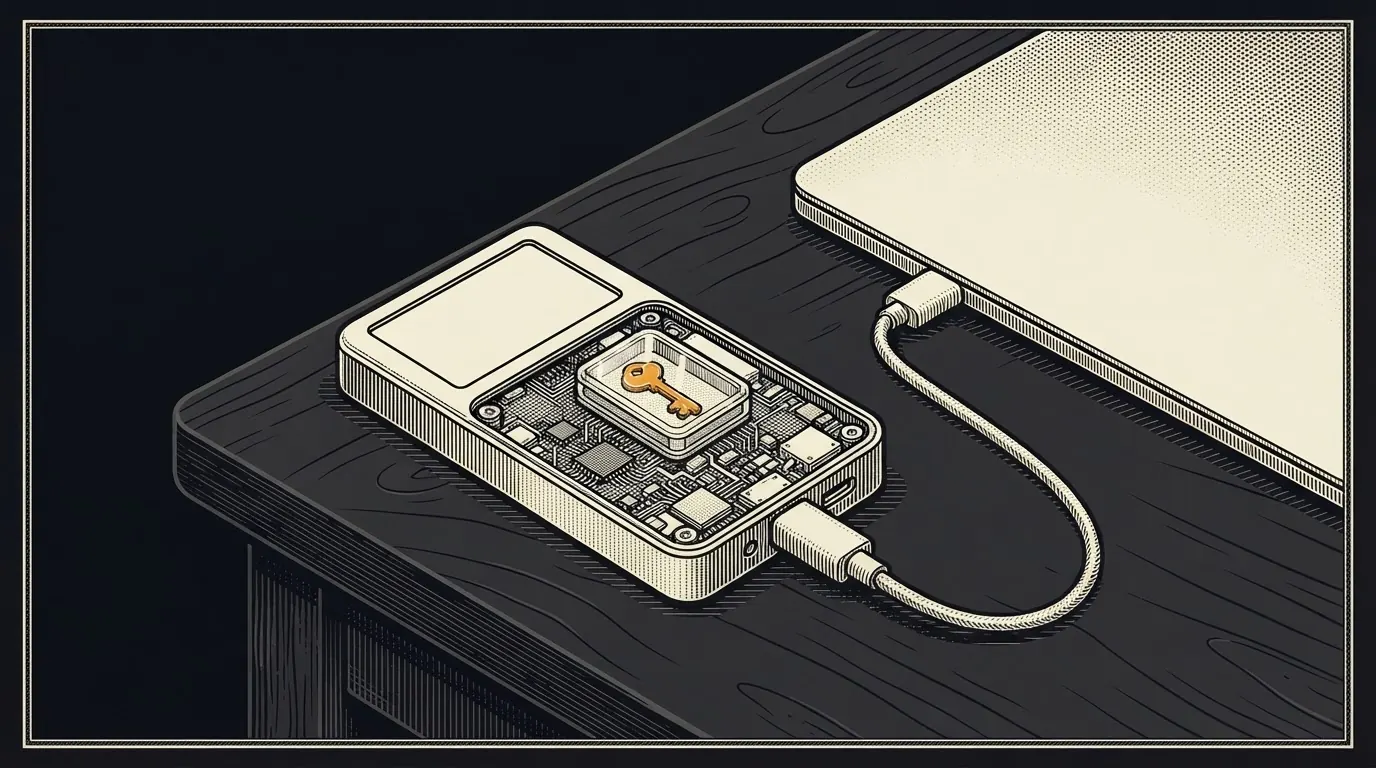
A hardware wallet is a single-purpose computer whose only job is to hold that private key and produce signatures on demand. The key is generated on the device from hardware entropy. It is stored in a secure element or encrypted flash. It never leaves. Your laptop or phone sends the unsigned transaction to the device. The device asks you to confirm the amount and the destination address on its own screen. You press a button. The device returns a signed transaction. Your laptop broadcasts it.
The private key cannot be exfiltrated through the USB or Bluetooth cable. The only thing that crosses the wire is an unsigned transaction in one direction and a signed transaction in the other. Malware on your laptop cannot steal coins unless you also confirm a fraudulent transaction on the device screen.
When do you need one? The $1,000 threshold.
A practical threshold: once your Bitcoin position exceeds roughly $1,000 in value, the one-time cost of a hardware wallet (around $70 to $150 verify×DON'T TRUST, VERIFYClaim: Entry-level hardware wallets retail for roughly $70 to $150.Verify at: coldcard.com ↗ · trezor.io/compare ↗ · foundationdevices.com ↗ Source 1 in the list belowPrices fluctuate. Check manufacturer sites at time of purchase.) is justified by the counterparty risk you eliminate.
Device cost is a meaningful fraction of the position. Hardware authentication (YubiKey) on the exchange and locked-down email covers most of the practical risk while you learn.
Exchange failure, hack, or account freeze outweighs the convenience of leaving coins on a platform. The device cost becomes small relative to what it protects.
FTX held roughly $8 billion of customer funds when it collapsed in November 2022 verify×DON'T TRUST, VERIFYClaim: FTX held approximately $8 billion of customer funds when it collapsed in November 2022.Verify at: DOJ indictment of Samuel Bankman-Fried ↗ · FTX bankruptcy docket (Kroll) ↗ Source 2 in the list belowCourt filings and the DOJ indictment cite a customer shortfall in the multi-billion-dollar range.. Customers with Bitcoin on FTX lost access. Customers in self-custody were unaffected. Not your keys, not your coins. Your keys, your coins.
This is a guideline, not a rule. There is no regulator setting the threshold. Adjust for your situation: if an exchange failure would ruin you, the threshold is lower. If you are running a tiny test position, it is higher.
Comparison of current models
The market has four serious vendors and a long tail of DIY options. Prices drift. Always cross-check at the vendor's site.
| Model | Price | Firmware open source | Air-gap | Multisig | Seed can leave device |
|---|---|---|---|---|---|
| Coldcard Mk4 | ~$150 | Yes, fully | Yes, SD card / NFC | Yes, strong | No |
| Trezor Safe 3 / 5 | ~$79-169 | Yes, fully | Via USB only | Yes | No |
| Ledger Nano S Plus See 2020 breach & Recover below |
~$79-249 | Partial (app layer only) | USB only | Yes | Yes, via Ledger Recover opt-in |
| Foundation Passport | ~$199 | Yes, fully | Yes, QR / microSD | Yes | No |
DIY options (SeedSigner, Krux) run on cheap commodity hardware and boot from an SD card. They are air-gapped by default and fully open-source. They are a power-user path, not a first wallet.
The Ledger 2020 data breach
In July 2020, Ledger disclosed that its e-commerce database had been breached. Per Ledger's own disclosure, approximately 1 million email addresses were exposed, and approximately 270,000 records included more detailed personal information such as name, postal address, phone number, and ordered products.
Two things to be clear on. The breach did not expose private keys, seed phrases, or coins. The cryptographic security of the Ledger device itself was not compromised. What was exposed was the customer list: the names and home addresses of people who had publicly showed they own a Bitcoin hardware wallet. That affects physical security, not coin security.
Anyone who bought a Ledger on the affected timeline should assume they are on a list that links their name to Bitcoin ownership. The risk is targeted theft, SIM swap, wrench attack. The mitigation is multisig and a passphrase, not a different vendor.
The Ledger Recover controversy (2023)
In May 2023, Ledger announced a paid subscription service called Ledger Recover that backs up your seed phraseSeed phraseA wallet backup written as a list of words, usually 12 or 24, that can recreate the wallet's private keys. In a single-signature wallet, anyone who sees it can take the bitcoin unless a separate passphrase also protects it. Keep it offline and private; recovery may also need the passphrase and wallet setup details.Full definition by splitting it into encrypted shards and distributing those shards to three companies: Coincover, EscrowTech and Ledger itself verify×DON'T TRUST, VERIFYClaim: Ledger Recover is an optional $9.99/month subscription that encrypts the seed phrase, splits it into three fragments, and has Coincover, EscrowTech and Ledger each hold one. Any two can restore the wallet.Verify at: ledger.com/recover ↗ · Ledger Academy: What Is Ledger Recover? ↗ Source 3 in the list belowLedger's own product pages describe the service, the opt-in, and the custodial arrangement..
Before Recover, most users assumed the seed phrase could never leave the hardware device and that the security model rested on the seed being physically unextractable. Recover showed that the seed can be transmitted from the device via a firmware update. If firmware can extract and transmit the seed with user consent, the question becomes whether a future firmware update could do so without explicit user awareness.
- The feature is opt-in and requires a firmware update.
- Existing devices before the update are unaffected unless the user enables Recover.
- The seed phrase transmission is encrypted and shard-split across three custodians.
- Signing operations still require physical confirmation on the device verify×DON'T TRUST, VERIFYClaim: Ledger describes Recover as opt-in, shard-split across three custodians, and not affecting users who do not enroll.Verify at: Ledger Academy: What is Ledger Recover ↗ Source 4 in the list belowRead Ledger's own technical documentation for the current mechanism. The details matter..
Most users cannot audit Ledger's firmware to verify these claims independently. The firmware that runs on the secure element is not fully open source. Trusting the Recover guarantees requires trusting Ledger's closed-source firmware, which shifts the security model from "trustless hardware" to "trust Ledger" verify×DON'T TRUST, VERIFYClaim: Ledger's device firmware running on the secure element is not fully open source, so independent audit is limited.Verify at: LedgerHQ GitHub ↗ · Ledger on its open-source posture ↗ Source 5 in the list belowApp-layer code is on GitHub. The secure element OS is proprietary, which is Ledger's disclosed design choice..
Ledger devices remain widely used and many Bitcoiners continue to use them without issue. The Recover concern is legitimate and worth knowing. Whether it changes your choice of device depends on your personal threat model. For users who prioritize open-source firmware and a guarantee that the seed never leaves the device, the alternatives below are worth considering.
- Coldcard (Mk4 / Q) by Coinkite. Fully open-source firmware, air-gapped signing via microSD or NFC, Bitcoin-only verify×DON'T TRUST, VERIFYClaim: Coldcard firmware is fully open source and the device supports air-gapped signing.Verify at: coldcard.com ↗ · Coldcard firmware on GitHub ↗ Source 6 in the list belowSource is published. Air-gap workflows are documented in Coldcard's user guide..
- Foundation Passport. US-manufactured, fully open-source firmware, QR-based air gap verify×DON'T TRUST, VERIFYClaim: Foundation Passport is US-manufactured with fully open-source firmware and supports QR-code air-gapped signing.Verify at: foundationdevices.com ↗ · Foundation Devices on GitHub ↗ Source 7 in the list belowFirmware is published and product pages document the air-gap workflow..
- Trezor (Safe 3 / Safe 5). Open-source firmware. Note a separate, unrelated concern around physical extraction attacks on earlier Trezor models has been documented by security researchers; newer Safe models add a secure element to mitigate this verify×DON'T TRUST, VERIFYClaim: Trezor firmware is open source. Older models have documented physical extraction concerns; the Safe series ships with a dedicated secure element.Verify at: trezor.io ↗ · Trezor on GitHub ↗ · Kraken Security Labs research ↗ Source 8 in the list belowTrezor publishes its firmware and acknowledges the historical physical-extraction research. The Safe series is Trezor's response..
Setup in ten minutes
After setup
Pair the device with Sparrow Wallet on your desktop for full UTXOUnspent Transaction Output (UTXO)A piece of bitcoin you received and have not yet spent, like a separate bill in a wallet. Your balance is the total of your UTXOs. Spending uses up whole UTXOs and creates new ones, usually including change sent back to you, and each UTXO carries its own history, which matters for privacy.Full definition control, labeling, and Tor routing. At roughly $10,000 in holdings, start planning a multisig upgrade through Sparrow DIY or Unchained. Within a few months, migrate the paper seed to a metal backup plate.
Do not log the device back into the computer regularly. Once set up, it should live in a drawer or safe. The point of cold storagecold storageStoring Bitcoin on a device that's never connected to the internet, protecting it from online attacks.Full definition is that the signing device is offline 99 percent of the time.
Where to go from here
Sources
Verify badges in the text link to these sources. Figures, rates and rules change: check each source’s date before acting on it.
- Coinkite (Coldcard), coldcard.com ↩
- U.S. Department of Justice, DOJ indictment of Samuel Bankman-Fried ↩
- Ledger, ledger.com/recover ↩
- Ledger, Ledger Academy: What is Ledger Recover ↩
- GitHub, LedgerHQ GitHub ↩
- Coinkite (Coldcard), coldcard.com ↩
- Buy Passport Prime – Foundation ↩
- Trezor, trezor.io ↩
- Ledger, "Addressing the July 2020 e-commerce data breach" - ledger.com/blog/addressing-our-community
- Coinkite Coldcard documentation - coldcard.com/docs
- Trezor Safe product documentation - trezor.io/learn
- Foundation Passport documentation - foundation.xyz/passport
- Sparrow Wallet documentation - sparrowwallet.com
- BIP39 mnemonic specification - BIP-0039
Last updated . Not financial advice. Do your own research. Disclosures · How pages are reviewed